



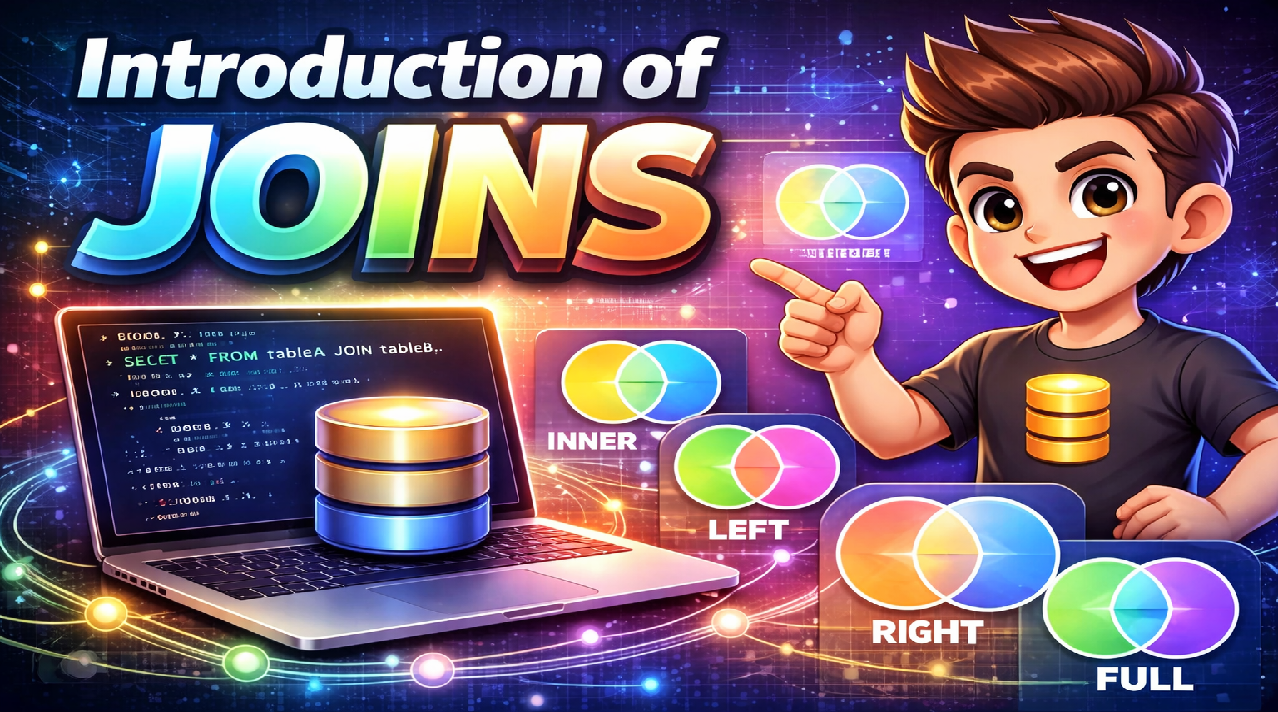
Introduction to Joins in SQL: The Foundation of Relational Database Mastery
There’s a moment every database learner experiences—a moment of sudden, frustrating realization.
You’ve learned to query single tables. SELECT * FROM customers makes perfect sense. Filtering with WHERE, sorting with ORDER BY, limiting results—all straightforward. You’re feeling confident about SQL.
Then someone asks a simple business question: “Show me all orders placed by customers from Lahore, including the product names and categories.”
Suddenly, you’re stuck. That information doesn’t live in one table. Customer locations are in the customers table. Orders are in the orders table. Product details are in the products table. Categories are in yet another table. How do you combine them?
The answer—the technique that transforms SQL from a simple data retrieval language into a powerful analytical tool—is joins.
Joins are the mechanism that makes relational databases “relational.” They’re what enables you to answer real business questions that span multiple tables. They’re what separates people who can write basic queries from those who can extract meaningful insights from complex data structures.
For students, developers, and professionals in Pakistan building careers in data, backend development, or business intelligence, mastering joins isn’t optional. It’s the fundamental skill that determines whether you can work with real-world databases or only toy examples.
At Dicecamp, we teach SQL joins not as syntax to memorize but as a conceptual framework for thinking about how data relates—a skill that serves you throughout your entire data career.
Why Data Lives in Multiple Tables
Before understanding joins, we need to understand why databases split data across tables in the first place.
Imagine storing everything in a single massive table. Every order row would repeat customer name, address, email, and phone number. Every product row would repeat its category name and description. A million orders means storing the same customer information a million times.
This repetition creates serious problems. Storage waste matters, but the bigger issues are update anomalies and data inconsistency. When a customer changes their address, you’d need to update thousands of order records—miss any, and you have conflicting information about where that customer lives. Delete a customer’s last order, and you might accidentally delete the only record of that customer existing.
Database normalization solves this by separating data into logical tables. Customers live in a customers table, stored once. Orders reference which customer placed them through a customer ID. Products have their own table. Categories have theirs. This eliminates redundancy and ensures consistency.
But it creates the challenge joins solve: how to combine related information spread across multiple tables into coherent, meaningful results.
Joins are the bridge between normalized storage (efficient, consistent) and analytical queries (comprehensive, business-focused). They let you have both benefits simultaneously.
What a Join Actually Does
At its core, a join combines rows from two or more tables based on a related column between them—typically a foreign key relationship.
Consider two tables: students with columns student_id, name, email and enrollments with columns enrollment_id, student_id, course_name, grade.
The student_id column appears in both tables. This shared column is the relationship—it’s how we know which enrollment belongs to which student.
A join operation matches rows where these related columns have equal values, combining information from both tables into a single result set. For each enrollment record, the join finds the corresponding student record and merges them, giving you a complete view: student name, email, course, and grade in one row.
This matching process happens for every combination of rows that satisfies the join condition, efficiently building a result set that spans both tables.
The power lies in what this enables: answering questions that require information from multiple tables in a single query, rather than manually fetching data from one table, then using those results to query another table, then combining everything in application code.
Inner Join: Finding Matches
The most commonly used join type is INNER JOIN, which returns only rows that have matching values in both tables.
Think of it as the intersection of two sets. If a student has no enrollments, they won’t appear in the results. If an enrollment exists for a non-existent student (which shouldn’t happen with proper foreign keys, but we’re illustrating the concept), that enrollment won’t appear either.
Inner joins answer questions like “show me students who are enrolled in courses” or “display orders that have been shipped” or “list employees who manage departments.” The emphasis is on the relationship existing—both sides must match for the row to appear in results.
This is typically what you want when analyzing active relationships. Sales analysis showing customers who’ve purchased, inventory reports showing products that have been ordered, performance dashboards showing metrics where data exists—these naturally use inner joins because you’re interested in where the relationship exists, not where it’s absent.
The syntax is intuitive:
SELECT students.name, enrollments.course_name, enrollments.grade
FROM students
INNER JOIN enrollments ON students.student_id = enrollments.student_id
Read this as: “Take the students table, join it with enrollments where student IDs match, and give me the combined information.” The ON clause specifies the relationship that defines how tables connect.
Left Join: Keeping Everything From One Side
LEFT JOIN (also called LEFT OUTER JOIN) changes the logic subtly but importantly: return all rows from the left table, plus matching rows from the right table. When no match exists, the right table’s columns appear as NULL in the result.
This answers questions like “show me all students, including those not enrolled in any courses” or “list all products, even those that haven’t been ordered” or “display every customer, highlighting those who haven’t purchased recently.”
Left joins are invaluable for identifying gaps. Finding students who need enrollment assistance. Identifying products with zero sales that might need discontinuation or promotion. Detecting customers who’ve become inactive and might respond to re-engagement campaigns.
The pattern is straightforward:
SELECT students.name, enrollments.course_name
FROM students
LEFT JOIN enrollments ON students.student_id = enrollments.student_id
Students with no enrollments appear once with NULL course_name. Students with multiple enrollments appear multiple times, once per course. All students appear—that’s the “left” part of LEFT JOIN.
This is also how you find missing relationships explicitly:
SELECT students.name
FROM students
LEFT JOIN enrollments ON students.student_id = enrollments.student_id
WHERE enrollments.student_id IS NULL
This filters to only students where the join produced NULL—meaning no match exists. “Students who are not enrolled in anything” becomes a simple query pattern.
Right Join: The Mirror Image
RIGHT JOIN does exactly what LEFT JOIN does, but flipped: return all rows from the right table, plus matches from the left table.
In practice, RIGHT JOIN is used less frequently than LEFT JOIN, primarily because you can rewrite any RIGHT JOIN as a LEFT JOIN by swapping the table order. Most developers prefer LEFT JOIN consistently for readability—you always know which table is preserved completely.
But RIGHT JOIN exists for situations where the query structure makes it more natural, or when working with tools or frameworks that generate SQL where the “preserve everything” table ends up on the right side.
Full Join: Everything From Both Tables
FULL JOIN (FULL OUTER JOIN) returns all rows from both tables, matching where possible and filling with NULLs where matches don’t exist.
This is less common in everyday queries but valuable for data auditing and reconciliation scenarios. “Show me every student and every course, highlighting which combinations exist as enrollments” or “Compare two datasets and show both overlaps and differences.”
Full joins help identify discrepancies between related systems, find orphaned records in both directions, and create comprehensive reports where missing relationships are as important as present ones.
Joins in Real-World Applications
The power of joins becomes obvious in real business contexts.
E-commerce analytics: Join customers, orders, order items, and products to answer “Which customers bought which products, how much did they spend, and when?” Add shipping information via more joins to analyze delivery performance. Add promotional data to evaluate marketing effectiveness. A single analytical query might join six or seven tables, each contributing essential information.
Banking systems: Join accounts, transactions, customers, and branches to generate statements, analyze spending patterns, detect fraud, and produce regulatory reports. The complexity of financial data requires sophisticated join patterns to maintain accuracy while enabling analysis.
Healthcare management: Join patients, appointments, treatments, practitioners, and facilities to schedule resources, track outcomes, manage billing, and ensure quality of care. Joins enable the holistic view of patient care that makes healthcare systems functional.
Inventory and supply chain: Join products, warehouses, shipments, suppliers, and orders to optimize stock levels, predict demand, manage logistics, and minimize costs. Real-time inventory management is fundamentally a challenge of joining live data streams across multiple operational systems.
These aren’t academic examples—they’re daily requirements in organizations across Pakistan’s banking, retail, healthcare, and logistics sectors.
Common Mistakes and How to Avoid Them
Even experienced developers make join mistakes that cause serious problems.
Forgetting the join condition creates a Cartesian product—every row from one table matched with every row from another. A table with 1,000 rows joined to a table with 1,000 rows without a condition produces 1,000,000 rows. Queries hang, databases slow to a crawl, and results are meaningless. Always specify your ON clause carefully.
Using the wrong join type produces subtly incorrect results that might not be immediately obvious. An inner join when you need a left join silently excludes data you’re supposed to include. The query runs fine, but business decisions get made on incomplete information. Understanding what each join type includes and excludes is critical.
Ignoring NULL handling causes confusion. When a left join produces NULLs, filtering on those NULL columns requires special syntax—WHERE column IS NULL, not WHERE column = NULL. Getting this wrong creates queries that return no results when they should return many.
Performance blindness makes joins expensive. Joining large tables without proper indexes can take minutes or hours. Understanding query execution, recognizing when indexes are needed, and structuring joins efficiently makes the difference between queries that finish instantly and queries that time out.
Ambiguous column names cause errors when the same column name exists in multiple joined tables. Always qualify columns with table names or aliases: students.name, not just name. This makes queries readable and prevents ambiguity errors.
Why Join Mastery Matters for Careers in Pakistan
Pakistan’s tech industry increasingly relies on data-driven decision making. Every modern application generates relational data. Every business intelligence system queries multiple related tables. Every backend API endpoint typically joins data from various sources.
Job interviews for Data Analyst, Backend Developer, Database Developer, and Data Engineer positions invariably include SQL questions, and join problems are the most common type. Employers use join questions to assess not just syntax knowledge but understanding of how relational data works—a fundamental skill for any data-focused role.
The salary premium for strong database skills is substantial. Professionals who can write complex joins confidently, optimize them for performance, and understand when different join types are appropriate earn significantly more than those limited to single-table queries.
Beyond immediate career opportunities, join mastery provides foundation for advanced data skills. Understanding joins makes learning database design, query optimization, ETL processes, and data warehousing concepts much easier. The relational model is fundamental to modern data systems, and joins are how that model becomes practical.
The Dicecamp Learning Approach
Reading about joins teaches you what they do. Writing join queries against real databases teaches you how to use them effectively.
At Dicecamp, SQL training emphasizes hands-on practice with progressively complex scenarios. You’ll start with simple two-table inner joins, progress to multi-table joins combining five or six tables, work through left and right joins to find missing relationships, and eventually write queries that mirror real business intelligence requirements.
You’ll encounter the common mistakes in controlled environments where they’re learning opportunities rather than production disasters. You’ll optimize slow queries and understand why indexes matter. You’ll work through realistic datasets where choosing the right join type is a business decision, not just a technical one.
By training’s end, you won’t just know join syntax—you’ll have the judgment to design queries that efficiently answer complex business questions, the debugging skills to fix queries that don’t work as expected, and the optimization knowledge to make them perform well at scale.
Explore Dicecamp – Start Your Data Engineering Journey Today
Whether you’re a student, working professional, or career switcher in Pakistan, Dicecamp provides structured learning paths to help you master Data Engineering Infrastructure with real-world skills.
Choose the learning option that fits you best:
Data Engineer Paid Course (Complete Professional Program)
A full, in-depth DevOps training program covering Virtualization, Linux, Cloud, CI/CD, Docker, Kubernetes, and real projects. Ideal for serious learners aiming for jobs and freelancing.
Click here for the Data Engineer specialized Course.
Data Engineer Free Course (Beginner Friendly)
New to DevOps or IT infrastructure? Start with our free course and build your foundation in Linux, Virtualization, and DevOps concepts.
Click here for the Data Engineer (Big Data) free Course.
Your Next Step
Modern applications are built on relational databases. Business intelligence depends on combining data from multiple sources. Backend systems query related tables constantly. Understanding joins is understanding how real data systems work.
In Pakistan’s competitive tech market, SQL proficiency—particularly join mastery—differentiates candidates who can contribute immediately from those requiring extensive training. Whether you’re targeting data analyst positions, backend development roles, or business intelligence careers, joins are a skill you cannot avoid or fake.
The question isn’t whether joins matter. Every professional working with relational data uses them daily. The question is whether you’re ready to master the technique that makes complex data accessible and actionable.
At Dicecamp, we’re ready to help you build that mastery through practical, project-focused training that develops genuine competence.
Master SQL joins with Dicecamp and build the database skills that modern data careers are built on.
Common Questions About SQL Joins
Which join type should I use most often?
INNER JOIN and LEFT JOIN cover probably 90% of real-world scenarios. Start by understanding these two deeply—they’ll serve you well. FULL JOIN and RIGHT JOIN are less common but valuable when specific situations require them. The key is understanding what each preserves and excludes, then choosing based on your data requirements.
Why do my joins sometimes produce duplicate rows?
When multiple rows in one table match a single row in another table, the join produces multiple result rows—one for each match. This is expected behavior. If a student is enrolled in three courses, joining students to enrollments produces three rows for that student. Understanding this one-to-many relationship behavior is critical for interpreting join results correctly.
How do I join more than two tables?
Chain joins together: FROM table1 JOIN table2 ON ... JOIN table3 ON .... Each join connects based on its own condition. Complex queries often join five, six, or more tables to gather all necessary information. Break these down mentally—understand each join individually, then see how they build the complete result set together.
Do joins affect database performance?
They can, significantly, if not done thoughtfully. Joining large tables without proper indexes is expensive. Understand query execution plans, recognize when indexes are needed, and structure joins efficiently. But don’t avoid joins because of performance fears—they’re fundamental to relational databases and, when done properly, perform well even at scale.

